





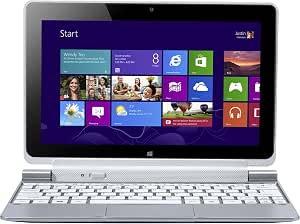
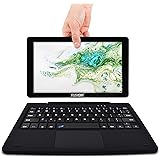


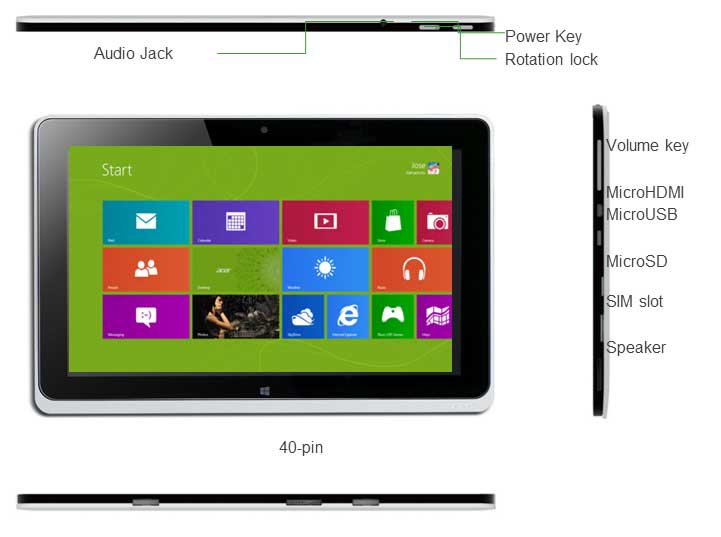


so i've had this tablet for quite a few months now and have been putting it through its paces and here are my thoughts...
I initially bought this for its form factor i.e. having a full blown OS that is portable. up until recently i had been surviving on using my ipad for most of my light computing needs and for the most part it has sufficed (albeit with constant workarounds to get the job done). the Acer has allowed me to do my work which mostly involves using MS Office and citation software. for this purpose it is fine. I am drawn to the fact that despite having an Atom processor it appears to cope reasonably well having only 'locked up twice in 4 months and maybe running unusabley slow maybe twice a month since i got it. I have found this acceptable given the price and product and on average performs far better than my desktop PC with similar specs running win7.
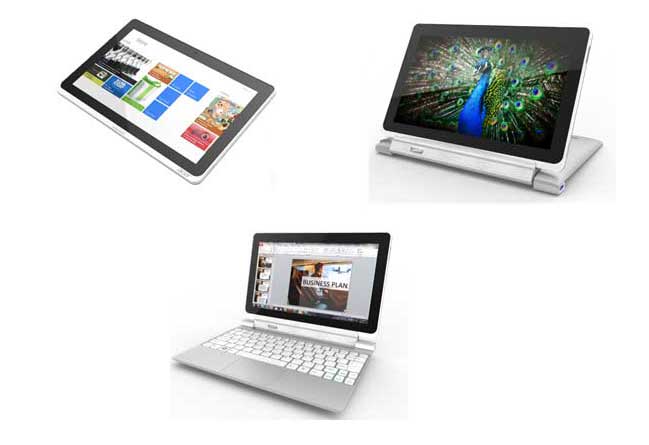
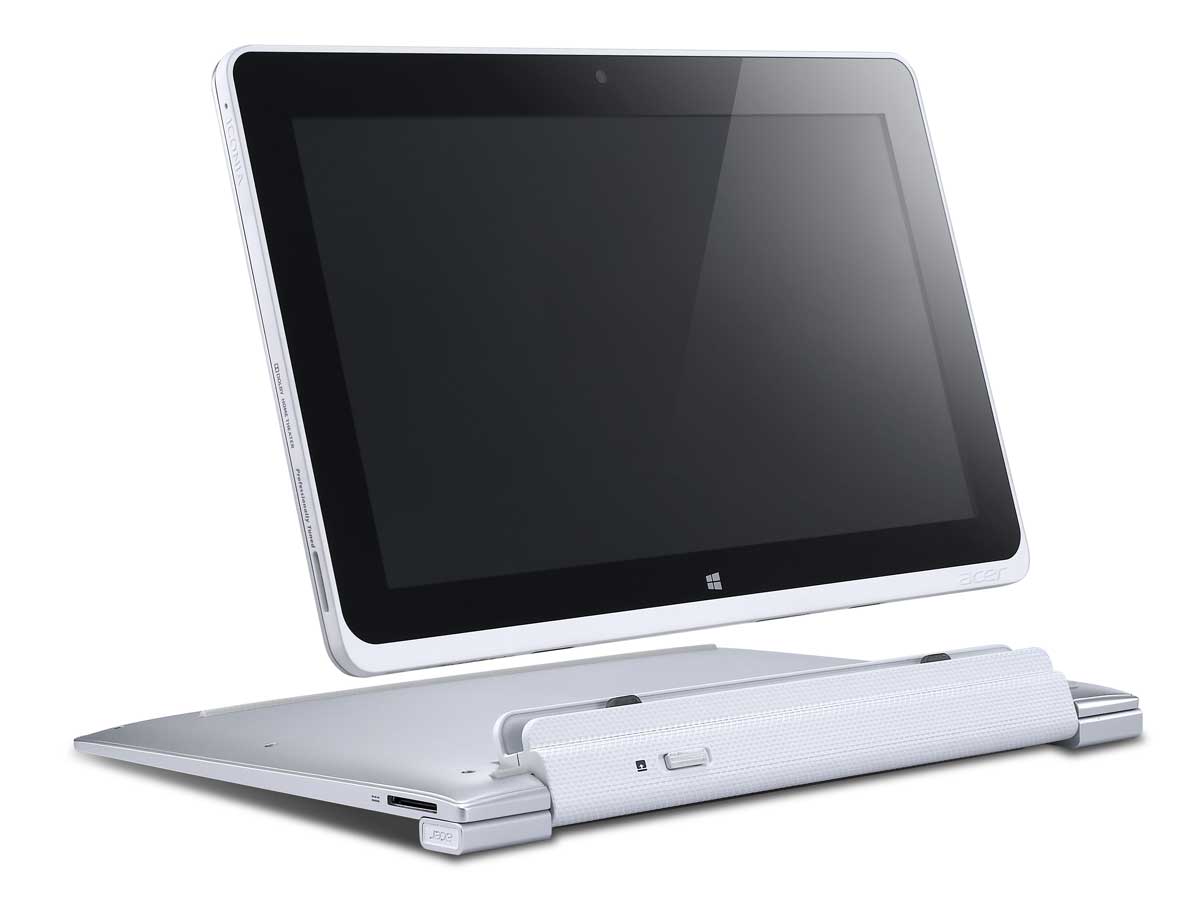
so what are the pros and cons... as the keyboard has a second built in battery it has incomparable battery life compared to many similar tablets and is a fully docking keyboard. this was a deal maker for me as i didn't want the hassle of a bluetooth keyboard that needed to be paired all the time. additionally as it is a docking keyboard it means that i can use this tablet more like a laptop and lean the screen back so that it has a very comfortable viewing angle. the battery in the keyboard means that this is actually possible without the whole thing tilting over, yay! however the keyboard quality is a let down. the keys are unbelievably flimsy such that very often when you press the key, unless you hit it dead centre, even though the side or corner of the key gets pressed, it doesn't always register resulting in constant typos. if you will be using it for extended periods of typing, i wouldn't recommend it and would suggest to look elsewhere such as the HP envy that has a much better quality keyboard.
I you've done your research then you will know early models were plagued with lots of issues with the mouse track pad / speakers etc. I've not had any of the issues mentioned on various forums however i was very disappointed that the track pad doesn't support multi touch gestures. again not a deal breaker but is almost an industry standard.
another gripe I have is the lack of optimisation in win8 for touch. i.e. it is very poorly designed so much so that it almost defeats the purpose of having a touch based tablet. i know this isnt a fault of Acer but is certainly something that needs to taken into account when weighing up your options. i find that often for leisure use i use my ipad and only refer back to the iconia when i need to do some serious work. in which case having a touch interface isnt really critical other than the occasional swipe up and down (btw. win8 doesn't appear to have 'pinch to zoom' again not a deal breaker but almost industry standard now).
the storage at 64Gb is touted as adequate but in realtiy once youve installed MS Office you are left with about 25Gb to spare. it does come with optional SD card slot however in this digital age is no way near adequate as I started to use it for all my computing needs and found that i easily used up all y storage forcing me to buy an SD card so in reality the overall cost should take into account that you will probably have to buy some storage if you dont own one already so be warned.
I purchased this for £479 which at the time i felt was reasonable however if it can be found cheaper, then with the onset of the newer Haswell chips will make this a better buy. if you was to ask me would i buy this again given my recent usage experience i would probably say no purely because of the keyboard. sometimes it makes the tablet frustratingly unusable so much so that whenever i need to do serious typing i just plug in a full fat keyboard from an old mac instead! and whilst we're on the topic of keyboards, ive found there appears to be an issue with the bluetooth in that when pairing with a device, it interferes with the wifi signal (documented in various forums with no fixes suggested). also the WiFi antennae has been found to be rather cheap and weak so that often i have very low signal strength in a location where the ipad never skips a beat - just a little bit annoying.
***UPDATE 1***
so just a little over a year of use and after the warranty has expired it has developed a serious fault with the charger so that it does not charge properly. this appears to be a relatively common problem as has been documented in the ACER forums. the keyboard doc is all but dead now and the main tablet only works occasional but as i wrote this it has completely died on me. this is the second ACER laptop that has dies on me after the warranty has expired. the lessons to be learned are...
1) never by a new proof of concept type of kit if it is first to market... always wait for the version 2
2) never buy ACER products as it is just a crummy technology company that thinks it can rock it with the big boys wheras their products are just cheap and cheerful throw away products.
***Update 2 (December 2015)***
So after about 2 years with this product I am beginning to think this review is going to turn in to a long term owners review that will catalogue the demise of this particular product. so the first thing I want to feedback on is my experience on the Windows 10 update - or rather lack thereof! when Win 10 was launched the Acer Iconia was not supported because of something to do with the 'Graphics accelerator' not being updated. way to go Acer/Intel/Microsoft - this was an epic fail on their part, so much so that it has pushed me away from having any faith in an windows products with their OEM partners that I have gone over to the dark side and bought a Macbook. at twice the price of the Acer, it is exponentially better than the Acer/Microsoft offering for simple reasons such as continued support over the lifetime of the product. But that was 4 months ago. since then Ive seen a glimmer of hope as someone reported that the Acer finally is Win10 compatible to I am upgrading it as I type this. As I mentioned earlier, I no longer use the Acer and have given it to my 7 year old son (his first ever computer so naturally he loves it). I have enabled the child safety features so he only ever uses it for 1 hour a day, if that. Despite this, the screen is now beginning to show signs of ghosting on the LCD panel and there is noticeable light bleed all around the edges. After less than 2 years of ownership for the screen to show signs of impending failure is tantamount to the (lack of) quality of this product. Suffice to say, I am not expecting this product to last much longer so would advise everyone to not only steer clear of this product, but also this brand. heres to hoping I am able to add a future edit to this review.... if it makes it through.
***Update 3 - April 2016***
So heres a surprising tun of events... due to the initial bodged upgrade to Win10 and roll back to win8. the laptop had become virtually unusable, So I attempted another upgrade to Win10 and this time it went far more smoothly. now there are no dead areas and everything seems to be functional, albeit painfully slow. after running it for about 3 months in this hobbled state I bi the bullet and did a complete restore from Win10 so theres definitely no going back now to win 8. this had the effect of permanently deleting the previous version of Win8 + any of my other personal files. the effect of this has been it is working much better now but still a flaky experience. I have noticed the battery life has taken quite a hit now (I'm guessing because connected standby no longer functions correctly) as well as continuously dropping the wifi connection when going to sleep. the touchpad is still bad and occasionally the buttons stick so that one press of a key results in multiple presses. recently a micro SD card that I was using seems to have become permanently corrupted by the machine. Im surprised it hasn't died yet. lets see how long this experiment lasts. I'll post another update as appropriate.
| Brand | Acer |
|---|---|
| Package Dimensions | 30 x 22 x 12 cm; 1.46 Kilograms |
| Batteries | 1 Product Specific batteries required. (included) |
| Item model number | NT.L0MEK.001 |
| Manufacturer | Acer |
| Color | Silver |
| Form Factor | Side |
| Standing screen display size | 10.1 Inches |
| Processor Brand | Intel |
| Processor Type | Atom |
| Processor Speed | 1.5 GHz |
| RAM Size | 2 GB |
| Computer Memory Type | DDR2 SDRAM |
| Hard Drive Size | 64 GB |
| Graphics Card Description | Integrated |
| Connectivity Type | Wi-Fi |
| Operating System | Windows 8 |
| Average Battery Life (in hours) | 18 Hours |
| Are Batteries Included | Yes |
| Lithium Battery Weight | 300 Grams |
| Item Weight | 1.46 kg |

