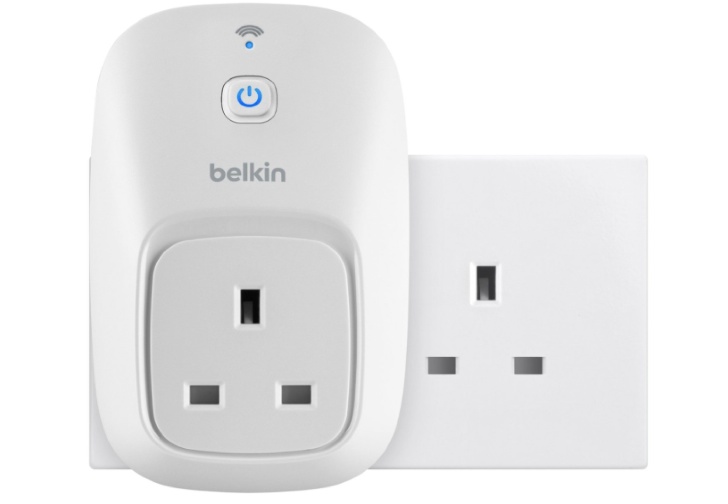
The Belkin Wemo is a marvellous little £40 invention as it allows you to control a plugged in device. If you connect it to a lamp you can:
- Turn it off and on to a schedule
- Turn it off an on from an iOS and Android devices
- Connect to IFTTT to turn on at sundown
For folk that are away from their home when it goes dark it is especially useful to be able to come back to a lit house. I’ve tried using timers in the past but have found that the mechanical kind are a bit of a blunt instrument. As days length change you don’t really want a light coming on for no need or missing when it gets dark. So being able to tie the light coming on to local sunset times not only saves fiddling but means that you are wasting electricity.
To set up Wemo and control a lamp you first need to set up the device. This involves a short process of connecting to the Wemo via a wireless connection. You’ll need the smartphone app, which can be downloaded free of charge. Once you’ve done that don’t be surprised if you have to do a firmware update. This takes about 15 minutes. Whilst that is happening, if you haven’t done so already, set up an IFTTT account.
With that set and your firmware updated you can connect to IFTTT from the app. Now that you have your Wemo setup go to IFTTT and create a new recipe. Have the Weather channel as your input and set your location. Then have the Wemo as your output and set your light to come on.
If the light is already on nothing will happen. But if it is off IFTT will send it a signal to come on automatically.
It’s relatively painless to set up a Wemo and this is just the tip of the iceberg. If you want to control when gadgets get charged (perhaps at the cheapest time for your electricity bill) or to switch something on from the other side of the world then this magic gizmo is for you.
No Responses