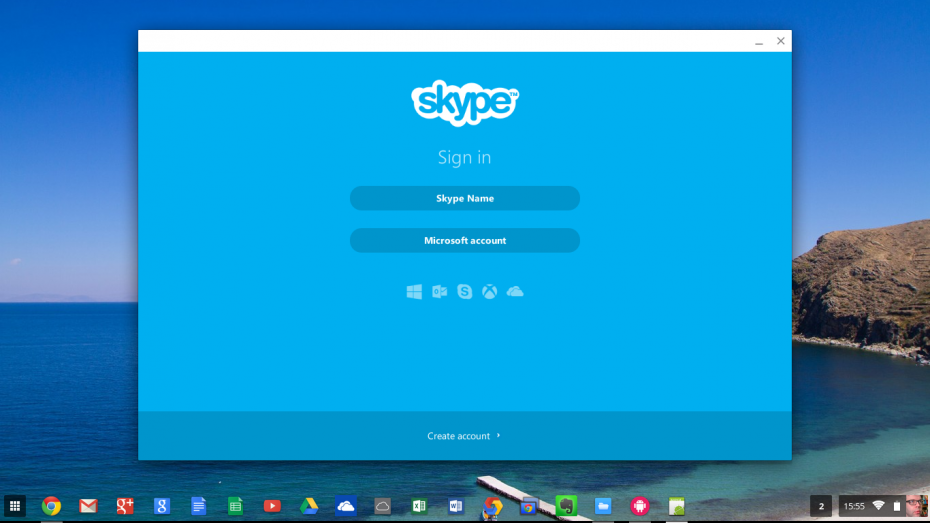
Following on from the success of ‘Install Flipboard on a Chromebook‘ I thought that I would look into running Skype on a Chromebook – my Acer C720 [UK Link] to be precise. Many people (myself included) are disappointed that Skype isn’t natively available for Chrome OS. Microsoft are working on providing Skype through the browser – which will probably work with Chromebooks but until that becomes readily available this work around will get you going.
In the last post I wrote about installing Crouton and then installing Skype onto that. Whilst this is possible, it’s a bit hard for the average user to do and maintain a Linux installation. Instead this article looks at using a Chrome extension called Twerk which allows you to run a lightweight Android emulator on your Chromebook.
Quick Note
Just before I move onto the process, I thought I would mention that some of the screen grabs were taken using Chrome on a Mac. This is because the built in Chromebook screen grab process doesn’t allow you to capture a shot when certain drop menus are present. So, if it doesn’t look exactly the same as it would on the Chromebook then you know why.
Process
Before I run through the process in a step by step fashion here is an overview of what I’m going to run though.
- Install Evernote
- Install Twerk
- Get the Skype APK file
- Drag the APK file into Twerk
- Pick a few settings
- Save as an unpacked Extension
- Load unpacked Extension
- Launch
1. Install Evernote
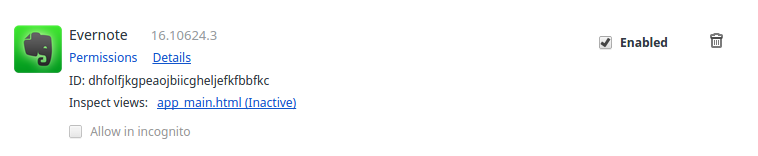
This is not as mad as it sounds. You see, when you install Evernote a component that Twerk is dependant upon (App Runtime for Chrome (Beta)) is installed. You can check this by looking at the Extensions installed – you do not need to look now though as we get onto this in step 6. As long as you have Evernote installed then you should be fine.
2. Install Twerk
Within the Chrome Web Store search for Twerk. This should appear as the top hit and look like the following:
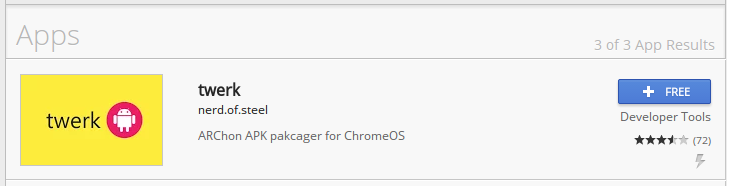
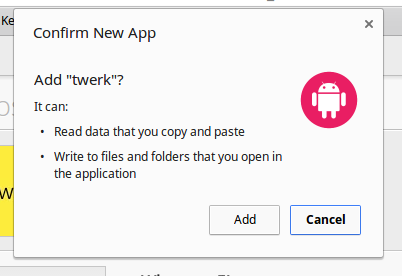
Install it by pressing the ‘+ Free’ button and then when prompting to do so, clicking Add – the installation will only take a minute or so as the extension is pretty compact at 3.56Mb.
3. Get the Skype APK file
Not all Skype APK files work with Twerk. Having tried a few out, I’ve stored a copy on a server I run, so that this is available for as long as it is needed. This version works at the time of writing:
https://www.head4space.com/SkypeAPK
– if you are looking at this and the files do not work please leave a comment and I will look into it.
For those who do not know what an APK file is, have a look here: http://www.androidpit.com/android-for-beginners-what-is-an-apk-file
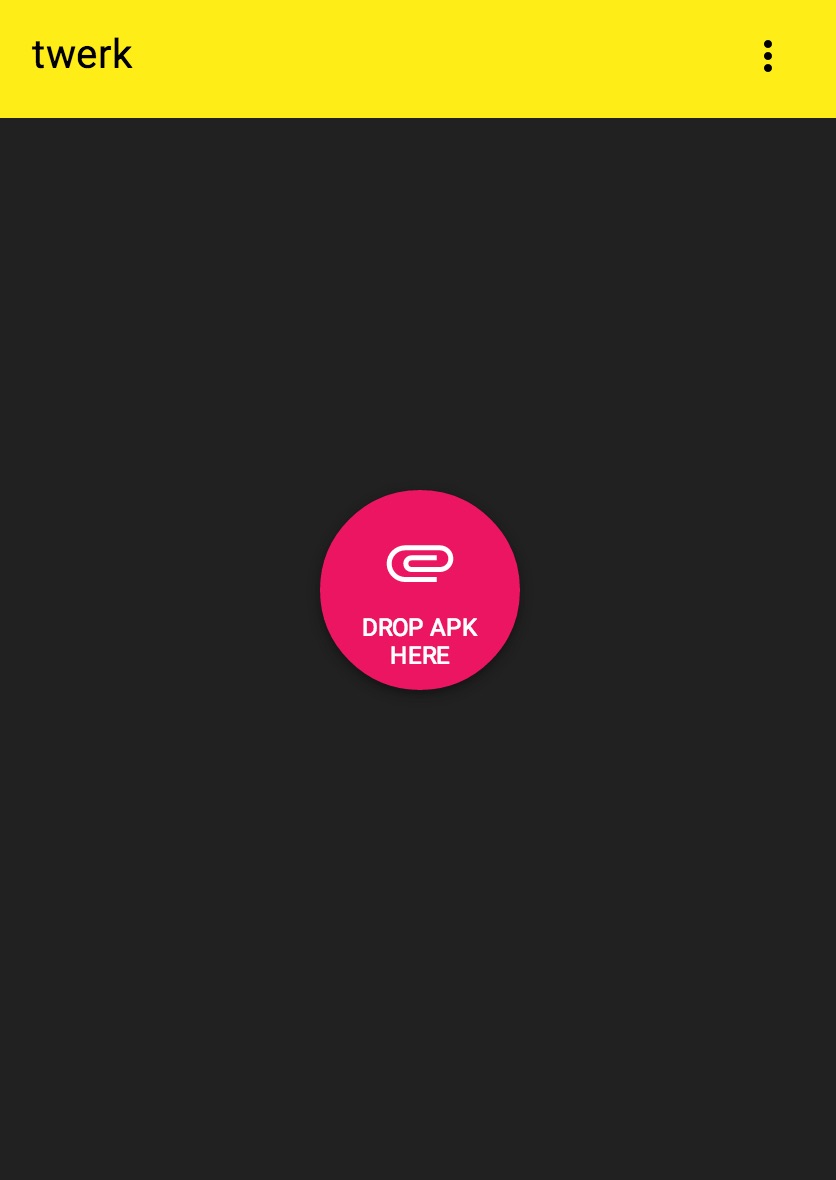
4. Drag the APK file into Twerk
So now I open Twerk, and do as it says – that is drag and drop the downloaded APK onto the app:
5. Pick a few Settings
Once the APK file has been dropped over it I set the following settings:
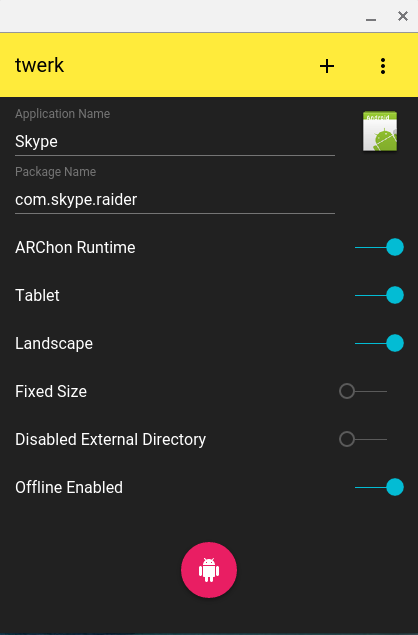
Make sure that you remove the dashes and numbers in the Package Name. If you don’t do this you’ll get an error message.
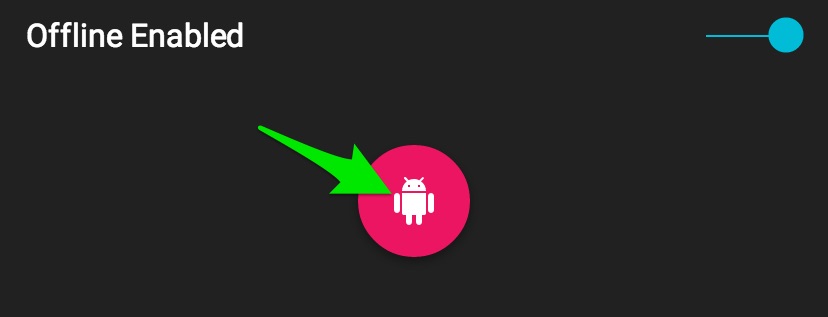
6. Save as an unpacked Extension
To save as an unpacked extension you just press the pink button at the bottom:
7. Load unpacked extension
From within Chrome click on the three horizontal lines
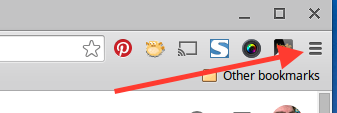
and go to the bottom of the list to get to ‘More Tools’ then select ‘Extensions’.
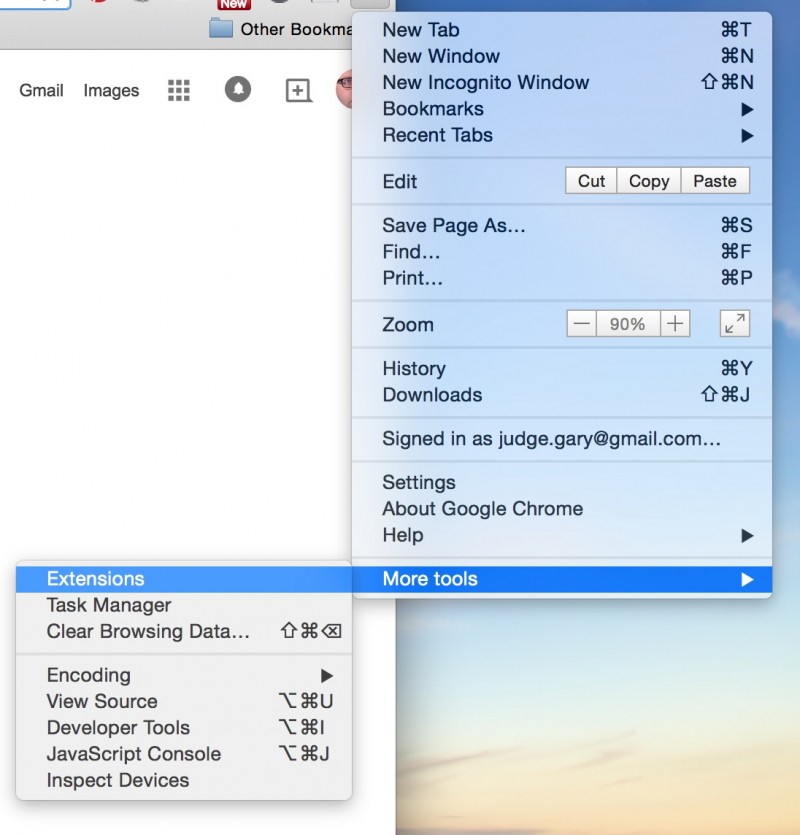
Tick the check box labelled ‘Developer Mode’ – this provides you with the option to ‘Load unpacked extensions’.

Click on ‘load unpacked extensions’ and then select the folder which contains the unpacked extension you just created.
Before you move on to launching the extension you should enable ‘Allow in incognito’ for App Runtime for Chrome (Beta). This ensures that every app has the best chance of running.

Once you’ve loaded the extension you will see the following message:
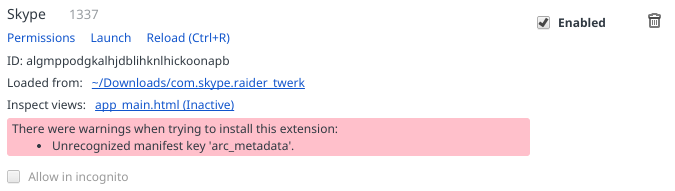
You can safely ignore the warning message.
8. Launch
Once you loaded the unpacked extension all you have left to do is Launch it. When you click Launch on the unpacked extension, it will take around 30 seconds for the app to load. During this time you will see the following displayed:
 .
.
Once loaded you will see that Skype loads within a window:
Notice that after you’ve launched it that a shortcut has been added to you app launcher.
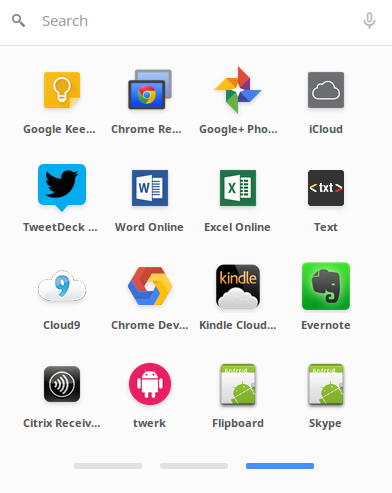
This allows you to access the App again without having to launch it from within the extensions section of the Chrome browser.
Top Tips
To start with, you do not need to keep the APK file on your Chromebook after you have created an packed extension and loaded it. You do however need to keep the unpacked extension. With this in mind I suggest that after you’ve got familiar with the process that you store unpacked extensions in a folder called something like ‘Extensions’ or ‘Apps’ to avoid clearing them out.
Also you might want to try other APK files to see if they will run as unpacked Extensions. There will be a bit of trial and error involved but worth giving it a go if you are desperate for functionality which isn’t available within Chrome OS already.
If you are feeling adventurous, you can add a Skype icon (this would be added in step 5). I’ve screen captured the following to make this look proper:

Other Chromebooks
I’ve only managed to try this on my Acer C720 Chromebook [UK Link] and would appreciate it if others could try the steps laid out and advise whether this works on others. It would be especially useful if someone with a non-Intel Chromebook – such as the HP Chromebook 11 [UK Link] could try to install Flipboard on a Chromebook as it will no doubt help others.
[update] I’ve now managed to get this running on a Toshiba Chromebook 2 and thanks to lots of comments, it appears that this process works on most Chromebooks without issue.
48 Responses
Doesnt seem to work on the HP Chromebook 14. Im getting a “Unrecognised manifest key ‘arc_metadata'”
Damn, I will have a go at this as well and see how I get on as I have the same model and could do with this working
Good luck Andy. Let us know how you get on.
You should be able to Launch irrespective of this message – have you tried that?
It worked on my samsung ARM chromebook just fine! 😀
I received same error as David. But, it works great including Video (I believe, none of my friends answered). lol
Thanks for the heads up Dean.
I’ve been crouton user for a long time, and it allows me to install ubuntu, Debian or other Linux distros running as chroot (almost full fledged secondary linux environmenthe only locked to the kernel version of chromebook). Once there I can install the skype.deb, viber.deb, etc.
Crouton is great if you want the extra flexibility of running Linux. But it does require a level of technical understanding which many Chromebook users don’t want to be concerned with. I personally don’t have Crouton running on my Chromebook as I have other computers for that kind of thing.
Dude, thats awesome. Works on my Asus i3 Chromebox too. The only problem is the video is in portrait even though I selected Landscape.. Any ideas if I can fix that?
Glad to be of service. I suspect the video settings are hard coded in the app so it may not be possible to fix.
It didn’t work for me. It said: could not load manifest.
Have you tried clicking Launch anyway – it tends to work irrespective of the manifest error.
Hey as promised I had a go at installing this on an HP Chromebook 14 and like the other comment there was a fault “Unrecognised manifest key ” but it still works fine and dandy
Even tried to install a logo (skype) for the app in the menu but that has not worked yet but thanks a great deal for sorting this small pain in the rear out.
Despite receiving this warning, “There were warnings when trying to install this extension:
Unrecognized manifest key ‘arc_metadata’.” it does load. However when I try to make a call it, my party does get rung once and the app freezes. I am unable to check “allow in incognito” because it is grayed out. Could this be the problem?
help….am having trouble trying to download this onto my hp chromebook 14, i’m doing everything it says but it doesn’t seem to be saving it when i click the pink button…any ideas?
What happens when you press the button?
It’s not saving as a packed extension when I click the pink button on Twerk. Was anyone able to resolve this issue?
What happens when you press the pink button? It should open a dialogue box that allows you to select where to place the unpacked extension.
Having a similar issue when trying to install on my HP Chromebook…when I click the pink button in Twerk it does not save anything; it simply opens the downloads folder and prompts me to select a folder to open. I am able to see the com.skype.raider file I just downloaded at the beginning of the process, but nothing new has been created. I made sure that I successfully downloaded Evernote before I began the entire process, and everything seemed to run smoothly up to this point. Any ideas? I may just resort to using Google Hangouts if I can’t get this to work.
Hi Bethany, did you drag the APK file into twerk – shown in step 4?
Do I need to unzip the APK before I attempt to do anything with it?
No need to unzip the APK it is ready to use as it is.
Hi. I got as far as Step 7, but when attempting to load the unpacked extension com.skype.raider_twerk, I get the message
Failed to load extension from: ~/Downloads
Manifest file is missing or unreadable.
Could not load manifest.
What has happened?
Hey David, you should be able to carry on and ignore this message. I believe that this occurs because its not been validated by Google – although I’m prepared to be wrong.
Forgot to add: CB Toshiba 13.3 CB35-A3120
Attempting on an Acer C720. Great all the way to step 7. Then when I try to load the unpacked extension in Chrome I get an error that says “failed to load extension, manifest file missing or unreadable”. If I go into the folder where the extension is, I can see the manifest file in there. No luck though. Any thoughts?
OK, so I tried to load the unpacked extension com.skype.raider_twerk, only to get the message:
Failed to load extension from: ~/Downloads/com.skype.raider_twerk
‘import’ extension is not installed. The detailed log message was:
{
“app”: {
“background”: {
“page”: “app_main.html”
}
},
“arc_metadata”: {
“apkList”: [
“custom-android-release-1400197.apk”
],
“enableExternalDirectory”: false,
“formFactor”: “tablet”,
“name”: “com.skype.raider”,
“orientation”: “landscape”,
“packageName”: “com.skype.raider”,
“useGoogleContactsSyncAdapter”: false,
“usePlayServices”: [
“gcm”
]
},
“default_locale”: “en”,
“icons”: {
“16”: “icon.png”,
“128”: “icon.png”
},
“import”: [
{
“id”: “mfaihdlpglflfgpfjcifdjdjcckigekc”
}
],
“manifest_version”: 2,
“name”: “__MSG_extName__”,
“oauth2”: {
“client_id”: “133701689125-jj0hr4gb0ff4ulsbrn0uk2i4th946d4c.apps.googleusercontent.com”,
“scopes”: []
},
“offline_enabled”: true,
“permissions”: [
“gcm”,
{
“socket”: [
“tcp-connect”,
“tcp-listen”,
“udp-bind”,
“udp-send-to”,
“resolve-host”
]
},
“unlimitedStorage”,
“notifications”,
“clipboardRead”,
{
“fileSystem”: [
“write”,
“retainEntries”,
“directory”
]
},
“https://clients2.google.com/”,
“videoCapture”,
“clipboardWrite”,
“identity.email”,
“alarms”,
“storage”,
“identity”,
“audioCapture”
],
“requirements”: {
“3D”: {
“features”: [
“webgl”
]
}
},
“update_url”: “https://localhost”,
“version”: “1337”
}
I then went to the bottom of the extensions page, and clicked on “Get more extensions”, which opened up a long list, none of which was called simply “import”. So which “import” extension is meant?
I have an HP Chromebook 14, with Intel processor, same error as above, and it does not install the extension
Working on my Samsung XE303C12 All but the launching of the app was very simply explained. Great job!! Much appreciated.
I found this more recent development, ARC Welder. http://arstechnica.com/gadgets/2015/04/googles-arc-opens-up-to-developers-runs-android-apps-on-most-desktop-oses/ This worked just fine!
hi! i have the chromebook 14. followed all the steps, and it launches!! only problem- and this has happened with another method i tried as well- when skype launches it is only a gray box with the icon in the middle
You have to wait around a minute for it to load. If it takes longer than a minute and nothing happens, then you probably need to do it again.
thanks!!!!
Thank you for the guide, nice and clear with no waffle. Yours is the third guide I’ve used after two failed attempts using some youtube guides. I think the APK you supplied was the solution, versions 4.9 and 5.3 didn’t cut the mustard; twerk just would not ‘build’ skype. I have an Acer CB5-311, so non-intel may be the issue. On a side note, now that it’s loaded I am disappointed not to have video chat! Am I hoping for too much or is there a way to get the webcam to join the party!?
Glad to be of assistance. The right APK seems to make a big difference as I too went through a series of later files which didn’t work for me. The video chat works for me on Acer C720 and Toshiba Chromebook 2, so it should work. You might want to give Arc Welder a go, this is a Google tool aimed at developers for testing APKs as Chrome Apps. As with anything a bit experimental, your mileage may vary. Good luck!
Does anyone else have a problem with Skype not surviving a reboot with this method? I have had to redo this process like 4 times, because I need Skype for work. I missed a day because this issue caught me off guard.
(c720p) The microphone records an unrecognizable sound wen i try to speak.
I have the same problem! I have tried every Skype instructions on you tube but I can’t get sound to work! I am using Toshiba CB30-B-104.
I’m writing an article about how you can do this in an easier way. I’ll pop a link here when it’s done.
I have the same problem (distorted voice on Toshiba Chromebook 2). How can I fix this?
same skype problem, also toshiba chromebook2.
adittional a problem with some 5.1 sound films from a harddisc over samsung tv connected with hdmi. so i have only the backgraound sound and cannot hear the voices of the actors. If I disconnect the hdmi, so the “normal”stereo effekt sound is back on the chromebook. Connect the tv again- no voices of the actors. I have tried to hard reset, but without success. Some ideas?
Hi there trying to follow your instrunctions but doesnt seem to want to load the extension. When I drag the file over to Twerk, it doesnt have the same list as you show in the instructions. Mine show App name which ive changed to skype. then package name com.skype.raider which I took the full stops out of. version 1337. then I only have options of phone. landscape, fixed size, disable external directory and off line enabled. Dont have the option of ARChon runtime or tablet. Would that make any difference ?When I click load unpacked extension it says failed to load Manifest file is missing or unreadable Help what am I doing wrong ??
i have managed to get to the Launch stage !!! Not quite sure how ?? Anyway I now have the little green android man on the screen but nothing else appears to be happening.I have the skype app icon showing in my list of apps but not launching to the blue screen
I managed to get Skype up and running on my Toshiba Chromebook 2, both with Arc Welder and with Twerk, but my voice is distorted, it sounds like the volume is much too high and clipped, like a defect robot
Crashes (disappears) at the moment of initiating a video call on Poin2 Chromebook. 🙁
Chrome OS v8
(Version 47.0.2526.106)
Platform 7520.63.0 (Official Build) stable-channel veyron_jerry
Firmware Google_Veyron_Jerry.6588.92.0
Thank you! After a while of researching this a giving up, your instruction was a welcome relief!! And yes, be sure to streamline the .apk filename. Thanks again!
Hello
I am trying to get skype going on my acer chromebook 15 and I am getting it installed, getting it to make calls but the audio is distorted as hell. just garbage. have you had these issues? Im not sure how to work around it
Thanks in advance