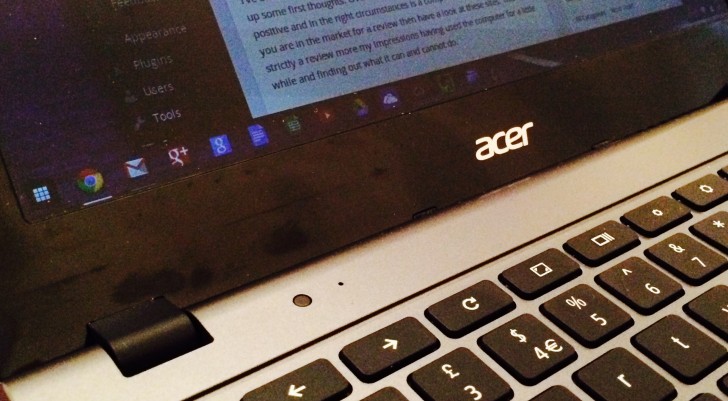
I’ve been using the Acer C720 [US Link] for just over a week now and thought I’d write up some first thoughts. Overall my initial impressions are overwhelmingly positive and in the right circumstances is a computer that I’d recommend. If you are in the market for a review then have a look at these sites. This is not strictly a review more my impressions having used the computer for a little while and finding out what it can and cannot do.
Background
Chromebooks essentially run a very lightweight version of Linux which almost exclusively runs the Chrome web browser. Any apps are either basic tools or run as extensions within the browser. You can find out more about what Chromebooks are by having a look here.
Less is More
Having access to fewer light weight tools that are stripped of cruft provides a really great working environment. As someone who creates written content, being able to fire up and get going quickly is my number one priority. The Acer C720 is quick smooth and performs well with plenty of tabs open. Because the machine doesn’t have a need for lots of operating system over head means that a lower powered energy efficient processor is used. This has the benefit of providing lots of much needed battery life.
Battery Life
I’ve gotta admit that I am a sucker for long battery life. In real world use I get between 6 and 7 hours worth of use. This is much better than the 4 hours I get from my 2012 MacBook Air and means that as long as I have a full charge I can confidently chuck the laptop in my bag without its charger and not worry.
One thing I have noticed is that if I have my smart phone plugged in, that it reduces the actual battery life down to around 4 hours. This is useful if you need to tether your laptop to a mobile internet service but if you get the chance it’s better for your battery to connect to WIFI.
Performance
With the Haswell processor, 2Gb RAM and the solid state drive running Chrome OS things are smooth on the Acer C720. Boot up takes less than 10 seconds and from sleep the laptop is available for use almost instantly. In regular use I’ve not noticed any slow down even with 8 or 9 tabs open. I’m sure that there will come a point where things start to slow up a little bit but I can’t say I’ve notice any issues.
Hardware
The Acer C720 Chromebook is a little bit plastic-y. As far as inexpensive laptops go the quality is good enough. The keyboard is well laid out and whilst the action is a little bit soft is comfortable to use for longer form writing. The trackpad works well if a little unremarkable.
One thing that I have found a little bit unusual is the back slash right next to the left hand shift key. This makes the left hand shift key smaller than you might expect but you quickly get used to it.
Price
At £200 the Acer C270 [US Link] is a bargain to be sure. It probably is better suited to folk that either only want to use an internet browser (for browsing, email and basic document creation) or as a companion to a full blown computer. For me it fulfils the companion role very nicely and at £200 is something that I am more happy just chucking in a bag and using wherever I happen to be. If it were damaged or stolen, whilst I would be a bit upset I have no data stored on the device and can probably afford to go out and buy a replacement without having to rely on insurance claims.
Limitations
Being as Chrome OS (which runs on every Chromebook) is for all intents and purposes just an internet browser there are certain things you cannot do on a Chromebook. For me the most obvious of these is run Skype. There is no Skype app and from what I can tell unless Microsoft re-engineer the tool (so that it is cloud based rather than peer to peer) then there is little chance that it will be coming to Chrome OS any time soon.
Offline working whilst possible is a little bit clunky and in my opinion only something you’d want to do when there is no alternative. If you have Drive open for instance it continually checks for a connection and lets you know that you are offline.
Printing is a bit of a faff and requires that you have a computer that can act as a Cloud Print gateway. Luckily for me I hardly print anything so have not found this to be a hassle.
Whilst it’s not something that bothers me, when doing research about Chrome OS there does seem to be some issues reading images in the RAW format.
No Responses