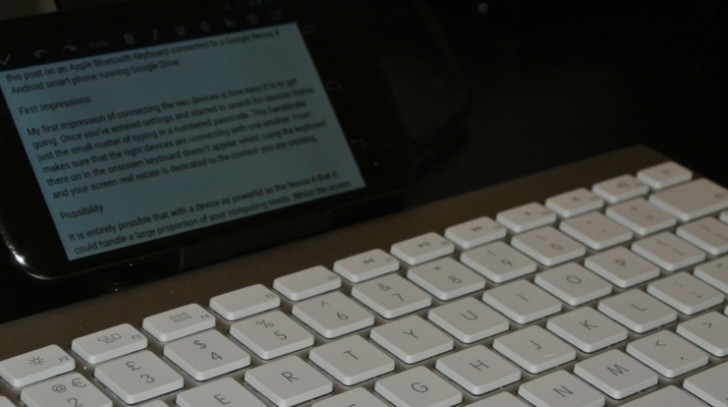
If you find yourself wanting to type a reasonable amount then a bluetooth keyboard for your tablet or smartphone is an essential purchase. I’m writing this post on an Apple Bluetooth Keyboard connected to a Google Nexus 4 Android smart phone running Google Drive.
First Impressions
My first impression of connecting the two devices is how easy it is to get going. Once you’ve entered settings and started to search for devices there’s just the small matter of typing in a numbered passcode. This handshake makes sure that the right devices are connecting with one another. From there on in the onscreen keyboard doesn’t appear whilst using the keyboard and your screen real estate is dedicated to the content you are creating.
Possibility
It is entirely possible that with a device as powerful as the Nexus 4 that it could handle a large proportion of your computing needs. Whilst the screen might be considered small by some there is enough space to view a couple of paragraphs and this limitation is traded for the immense amount of portability.
Stand
The one thing this combination really needs to make the setup complete is some form of stand to prop the phone into a decent position.
If you forget the stand you can always use a wallet to prop up the screen as the phone is small enough for it to not topple over.
Does it need to be Apple?
I’ve used a few bluetooth keyboards in my time and am fond of ths Apple device but am not wedded to it. For around a third of the cost you can get hold of keyboards that have a similar look and feel. Sure they are not as well finished but with such a big difference in price it might be hard for some to justify the additional expense. If you find yourself in this position, don’t worry as you aren’t missing out on too much.
Other generic bluetooth keyboards work well and my only recommendation is that you go for a full sized chiclet keyboard as the keys on the case combos aren’t that great and don’t make for a great typing experience.
What a difference a real keyboard makes
There is no way that I would have written a post this long with the onscreen keyboard of the Nexus 4. As good as it might be for short messages when it comes to writing hundreds of words a real keyboard makes all the difference. What has surprised me most about writing this post is how little the smaller screen got in the way and as a result I’ll be using the Nexus 4 more often for writing duties.
One Response
Hello. I’ve had a slight problem (not on a nexus 4, but other android device), I can’t seem to figure out how to write the “@”, have you got any clue? Other then that, nice article.