
The Apple TV is a wonderful little device that enables you to stream iTunes content direct from the internet. If however you want to stream iPlayer shows you will need to introduce an iOS device into the mix. This article will help you through what to do step by step and there’s a video at the end which shows this in action.
To follow this guide you will need the follow equipment:
- Apple TV connected to a Screen
- iPad or iPhone running iOS 7 or later with iPlayer installed
- A wireless network that both Apple TV and iPad / iPhone are connected to
Right, so if you have all of the stuff you are set.
Process
First up turn on your screen and Apple TV

Next from your iPad or iPhone open up iPlayer

Swipe up from the bottom of the iPad or iPhone screen to reveal Control Centre
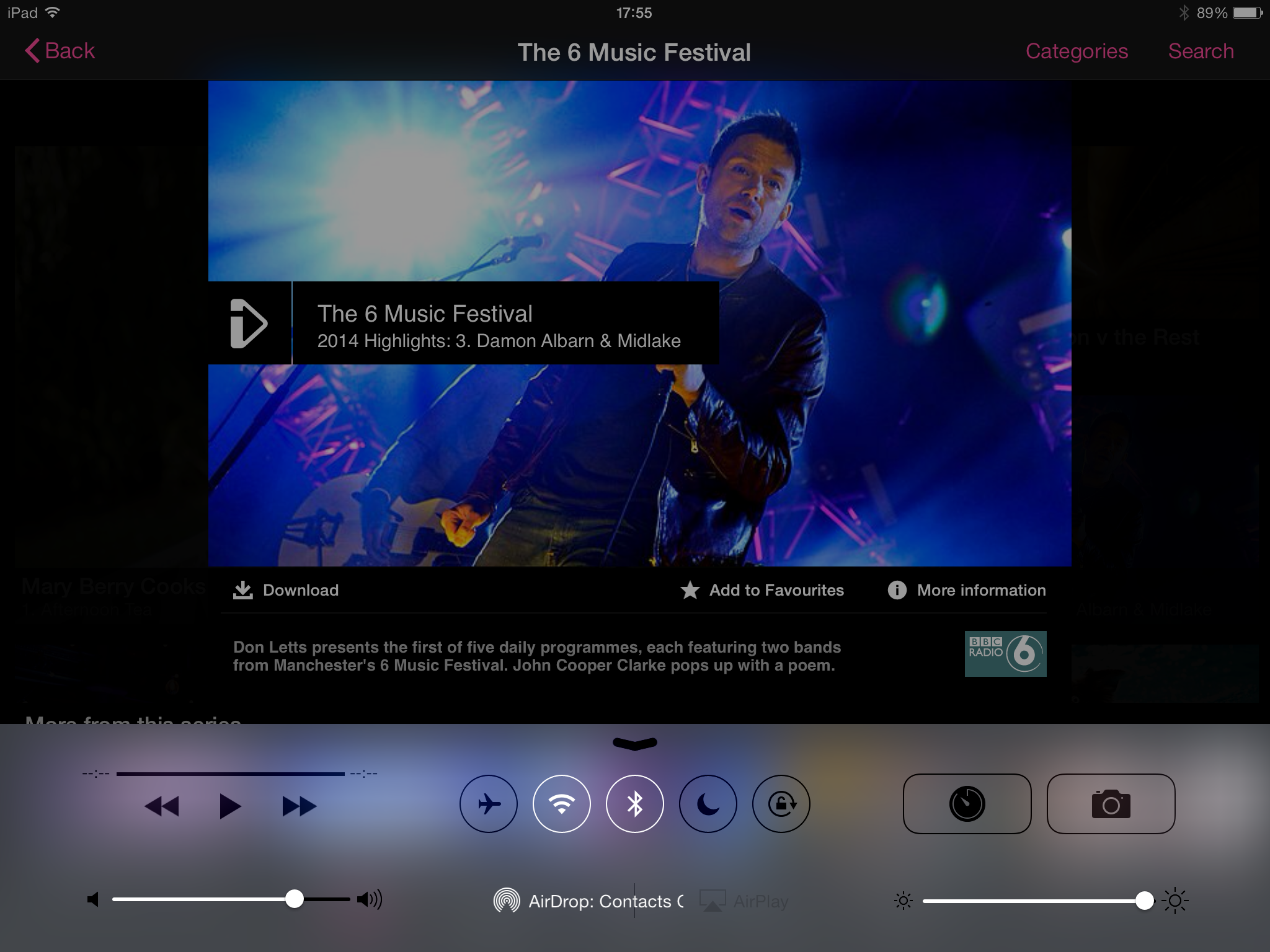
Now press on the Air Play icon (this is Apples term for streaming)
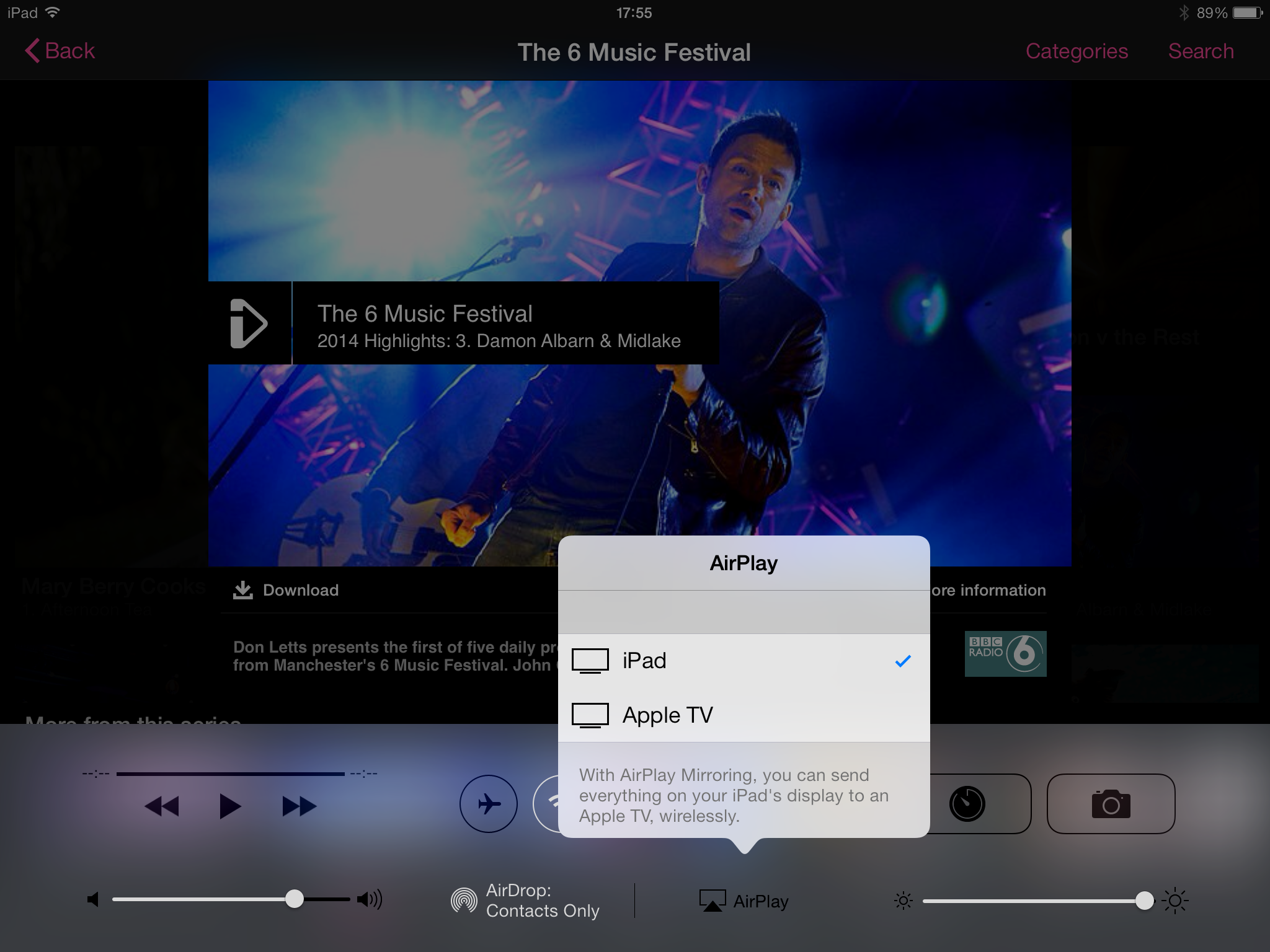
You should now be presented with the option to select Apple TV from your list of devices that you can Air Play to
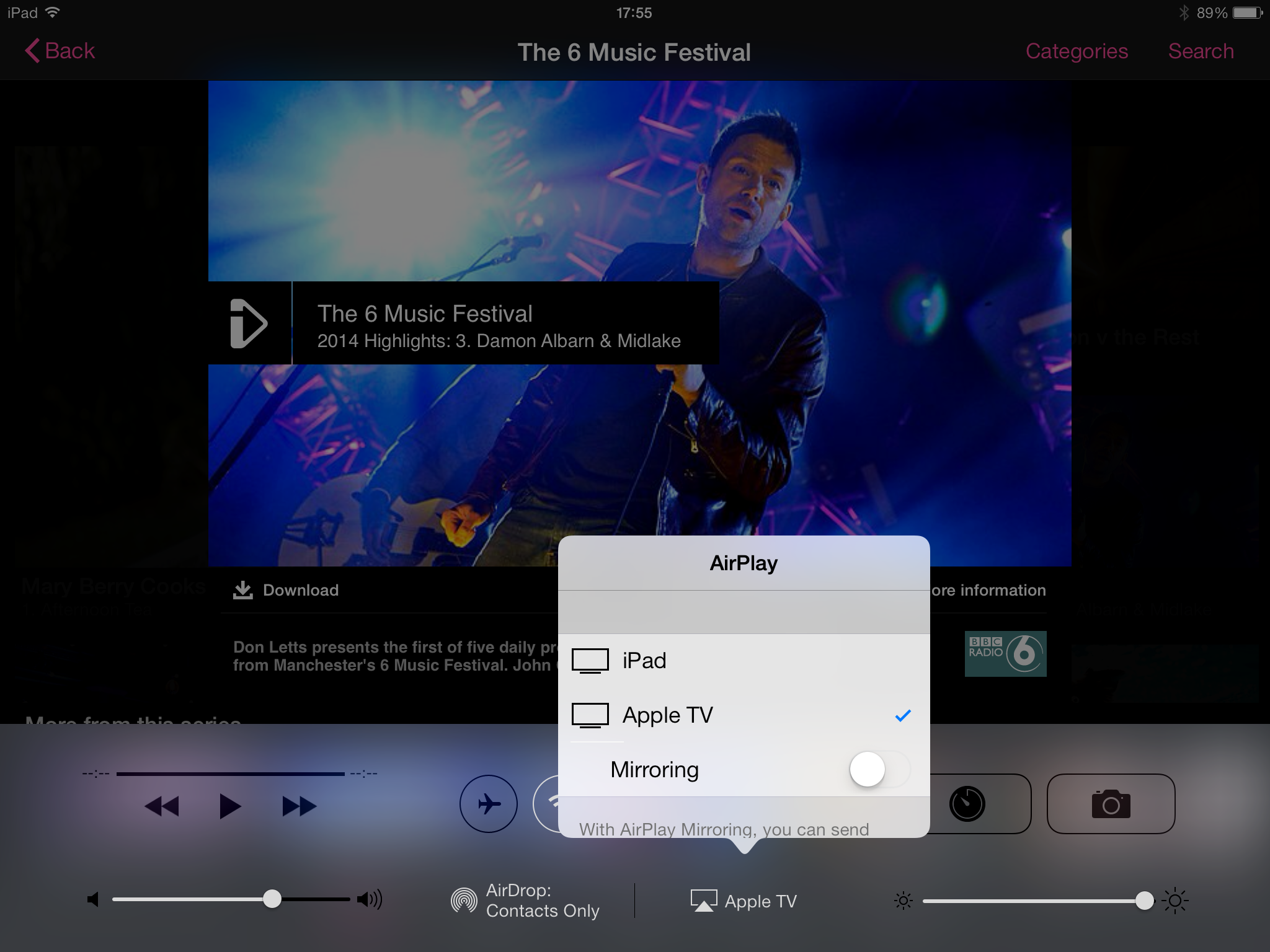
With Apple TV ticked go back to iPlayer and select a show to watch
Your iPad or iPhone will show a static screen whilst your Apple TV shows the content on your screen
And that’s all there is to it.
Video
This video shows this in action:
Only Apple?
Unfortunately you cannot use any other type of phone or tablet to stream iPlayer to the Apple TV as Apple prevent this from happening. I guess this is understandable from Apples perspective as they would prefer it if you purchased their hardware. And given that it all works so lovely together you can also understand why they would not want to be responsible for another company making a poor experience for its users.
Does this help?
I hope that if you were stuck and weren’t sure how to do this that this article has helped. If so please drop me a line below and let me know.
No Responses