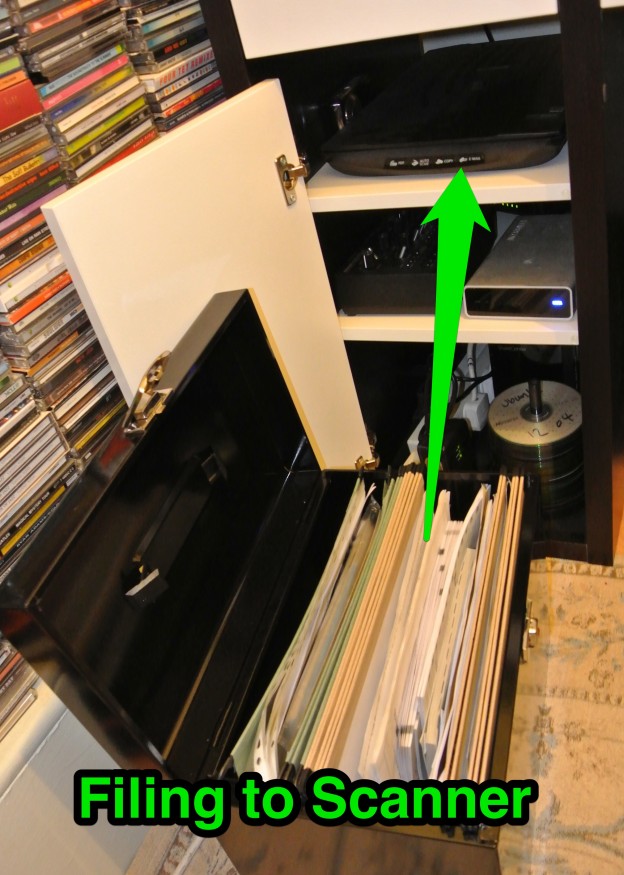
I’ve started on my paperless journey and wanted to share few initial thoughts about the paperless process.
Paper-Lite rather than Paperless
There are some bits of paper that are useless in digital form. i.e. Passport so there still will be some remnants of paper in my life. However I have already been able to reduce my filing down to about 20% of what it was and with careful planning will be able to reduce further. Whilst I ultimately will end up going Paper-Lite I will still refer to the process as paperless as this is what it is universally recognised as.
Scanning direct to Evernote.
By scanning images direct to Evernote I’ve taken an unnecessary step out of the process and am finding my initial batch conversion easier. I had to use the trick described in the this blog about Evernote as my scanner doesn’t have dedicated software that does this for me. This process works for OSX but I’m sure there are equivalent Windows means of getting this done.
I’ve found that upping the scanned resolution to 300 dots per inch from the standard 75 takes longer but is a better quality scan. This is something you might want to play around with the get the right setting for you.
Each sheet of paper is it’s own PDF
I’ve found that to aid the work flow that rather than combine scans into one PDF that each sheet of paper is it’s own. I figure that when I search within Evernote for a particular thing that it will present me with all sheets anyway and that I do not want to have to try and uniquely name documents at point of scan.
Don’t digitise everything
If you want to spend an eternity scanning copies of every bit of paper you every touch then so be it. I’d rather scan the important bits and chuck the rest. So for instance I’ve haven’t scanned:
- bank statements that are over 6 months old
- utility bills that are over 3 months old
- documents that aren’t going to be useful in digital form – i.e identification
- the ‘useful’ information that comes stuffed with letters and bills
Shred when done
I hadn’t mentioned that I will be shredding sensitive documents on my original post about going paperless. I batch process shredding as this can be quite therapeutic – were it not for the awful racket the shredder makes. The shredder I use is a decent quality Fellowes device as I’ve the cheap and cheerful ones seem to die after not much use. You can spend lots more on cross cut shredders but for a home office this seems to be powerful enough.
Next steps
Once I’ve gather, scanned and shredded all bits of paper from around the house I next need to come up with a filing strategy for Evernote. All my documents are currently in the inbox awaiting processing and plan to keep the system simple as possible.
I also need to gather digital copies of all manuals I currently have filed to aid my paperless quest.
No Responses